

Experiential learning in 3D worlds is an exciting, highly effective way for learners to apply what they've learned through virtual experience. These technologies are not one-size-fits-all, and it's not always clear what is practical and effective for specific learning goals.
We're going to dive in and take an unvarnished view of these technologies to help you make an investment decision your learners will love. Then, we'll wrap up with a fun exercise to illustrate the differences.
Why Is Virtual Experience So Essential to Training?
Because conventional training often doesn't translate effectively to performance.
This failure largely stems from the fact that we learn and retain more through experience. That is, we learn the skills to apply knowledge through personal experience. Therefore, to effectively translate knowledge into performance, we must put learners in real situations where they can safely apply what they've learned, with expert mentoring along the way.
Traditionally, this happens in small groups at a physical location, often with one-to-one coaching. This approach is difficult to scale. With virtual technology, we can deliver guided scenarios with built-in mentoring across the entire organization, using a library of content.
What Are Examples of Immersive, Virtual Technologies?
Immersive technologies make the trainee or player feel like they are "in it." From a learning perspective, this immersion creates a powerfully effective way to apply knowledge in realistic situations. Learn by doing.
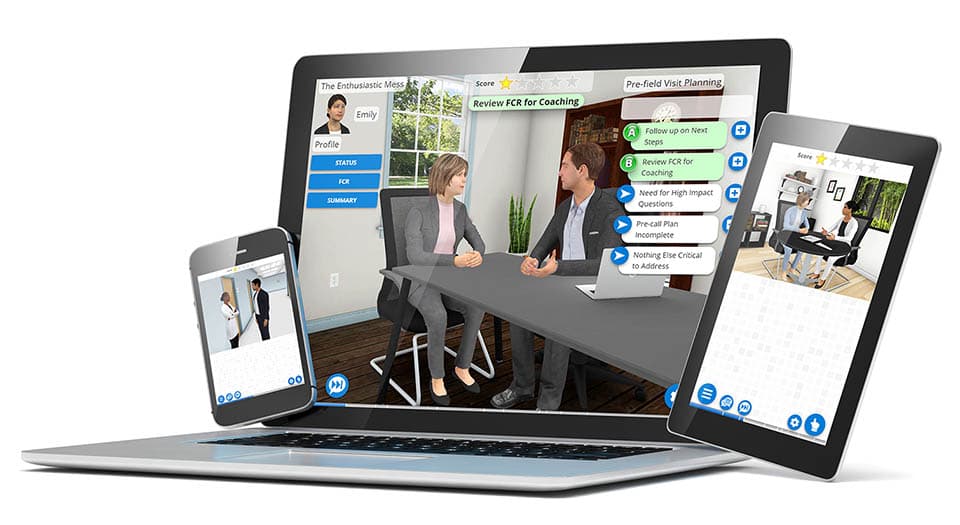
Game technology and video games have immersed players in 3D virtual worlds for decades. Though the user is viewing a 2D screen, this technology is highly effective at making the player feel like they are "in it." Trainers have effectively utilized this technology for many years to create 3D virtual experiences on any device.
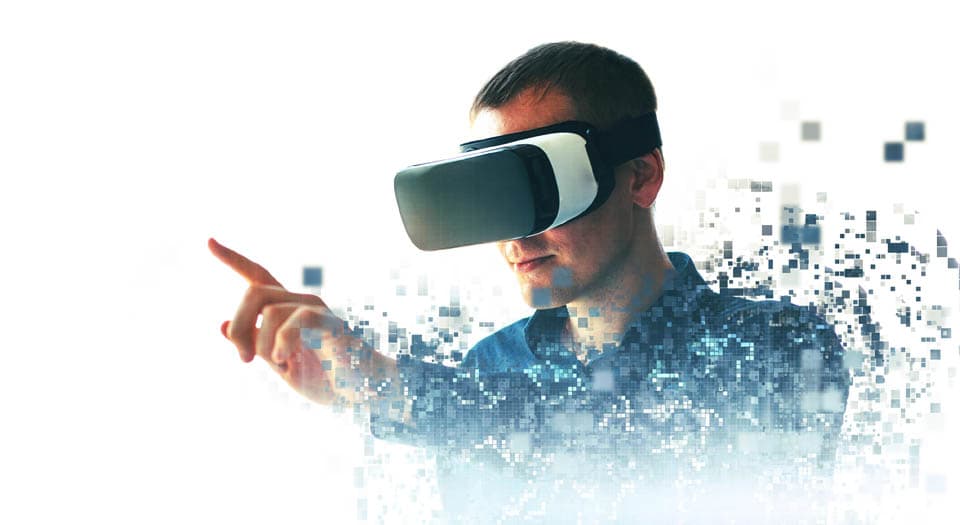
Virtual reality (VR), on the other hand, places a small 2D screen in front of each eye to create the illusion that you are in a virtual 3D world, where you can look around much more naturally than you can on a 2D screen. So VR is simply a new way to experience a virtual world with a headset.
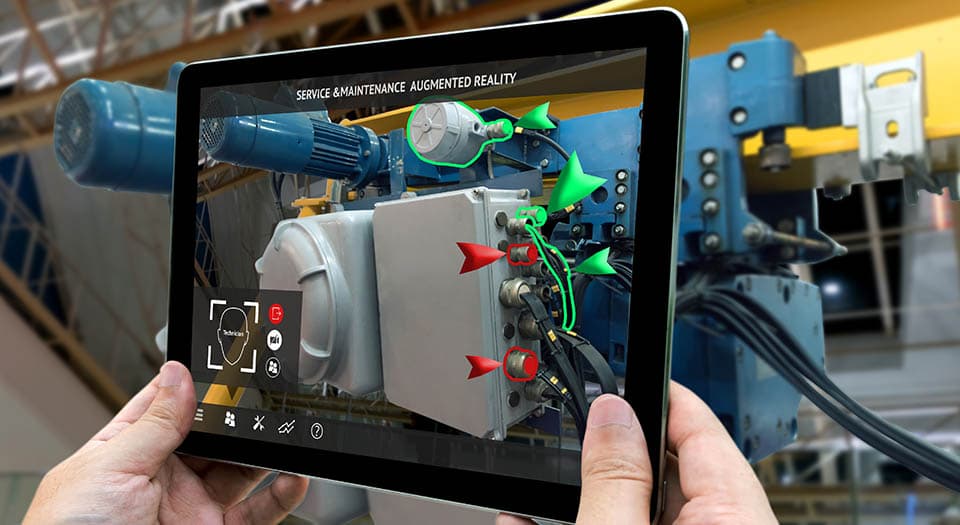
Augmented Reality (AR) provides visual overlays on top of what we are seeing in the real world, to augment what is seen. It creates a virtual experience in the sense that more information is injected into the real-world scene.
Other terms: Extended Reality (XR) is a newer term that encompasses all virtual forms — VR, AR, and MR. Mixed Reality (MR), or hybrid reality, merges real and virtual worlds where the two can interact. MR is not used much in training, so it will not be considered further.
Let's Start with Virtual Reality
There's a lot of pressure on corporate training organizations to include virtual reality (VR) in their training. When does the investment make sense? What sort of training is it best suited for? Let's dive in.
Types of Virtual Reality and Training Use Cases
- Video. A 360-degree video of locations or situations is the least expensive option. The user feels like they're there, and the addition of branching, or other in-world interactions, increases engagement. Companies like STRIVR and Uptale provide platforms to shoot 360-degree video. Use case: Walmart rolled out this type of video training to show departmental operations, and demonstrate how to handle spills and safety issues.
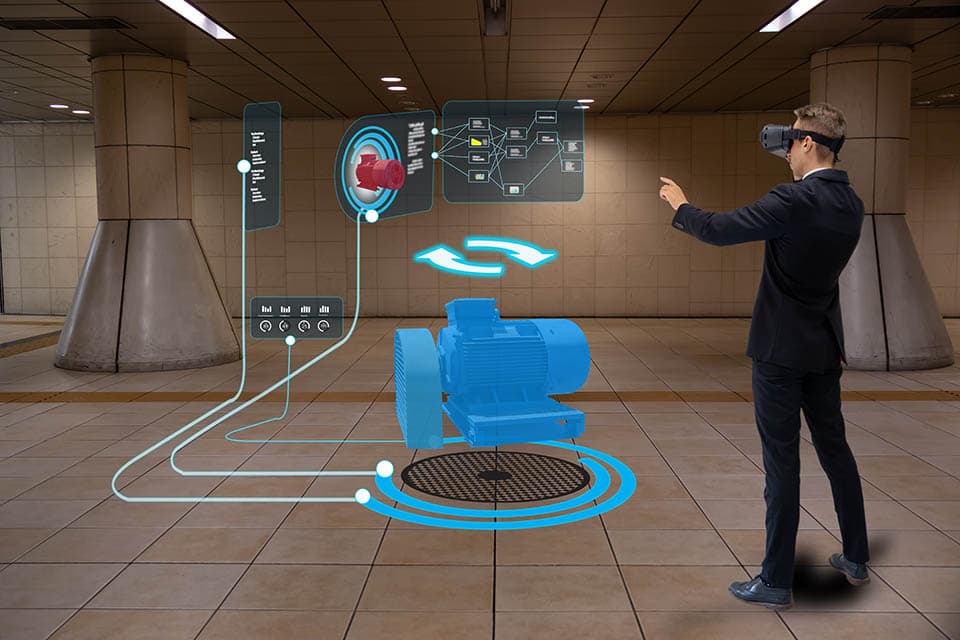
- 3D Environments. Building a simple 3D environment containing interactive objects, such as a virtual piece of equipment, is the next level of content complexity for VR. Use case: Companies such as Heartwood and PixoVR provide this type of VR (and AR) for training in construction, manufacturing, energy and utilities, as well as for first-responder training environments.
- Game-like Worlds. Creating custom virtual worlds with human characters and interactive objects is the most expensive and time-intensive option. Use case: Farmers invested in a game to show what it's like to be an insurance adjuster.
When Does It Make Sense to Use VR for Training?
Perhaps the training you're interested in was not listed above. Not all training is a good fit for VR, and it all depends on your learning objectives. Below are some examples and an illustration to use as a guide.
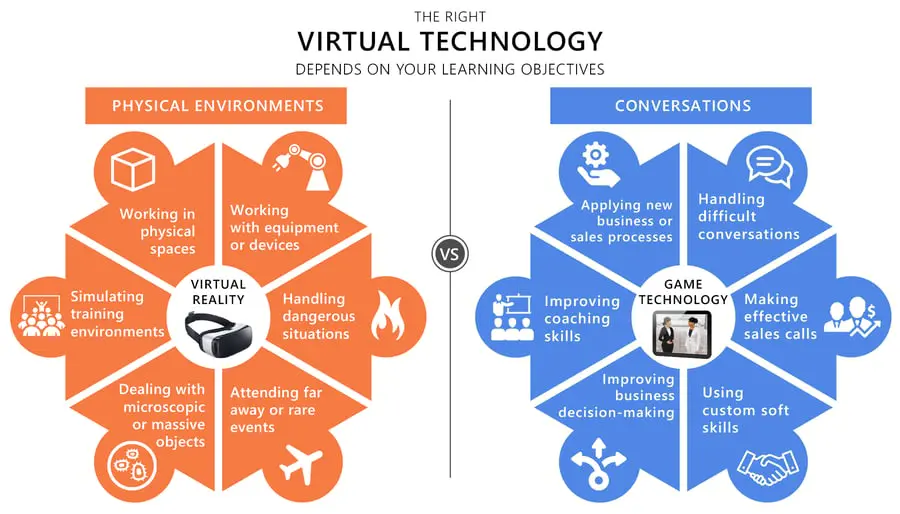
When VR is a good fit for your learning objectives: The benefit of VR is the ability to look around a physical environment with the headset. Examples:
- Learners need to experience a physical environment that is geographically far away (a store, event, or site), very small (molecules interacting in the body), very large (a jet), or too dangerous (reacting to threatening situations).
- Learners need to learn how to interact with a device or equipment that's not readily accessible.
If the most important aspect of your training is to see what is happening in the environment, or how to respond to a physical situation, then a 360-degree VR video could work well. If your learners need to recognize diverse physical characteristics of a situation or interact with physical objects, then using VR to interact with a 3D world that's been recreated with game technology can work well.
When VR is NOT a great fit for your learning objectives: Often in training, the physical environment is not crucial. Instead, the learning focuses on decision-making that involves conversation. Examples:
- Learners need to make decisions that utilize a new business or sales process, or they must learn how to navigate difficult conversations (sales, leadership, customer service).
- Learners need to reach a diagnosis and decide on a course of action, such as how to manage a patient, or develop and implement an effective coaching session.
In these examples, conversation is paramount, and it can be brought to life by virtual humans using game technology. Here, the goal is to create a virtual interpersonal experience, so the learner can practice making decisions and receive conversational feedback. The ability to look around the physical environment via a VR headset is not needed to achieve these learning goals, and limits access to the training.
4 Challenges with VR Technologies
We cannot leave VR without discussing some of the challenges inherent to this burgeoning field. If you have a "VR training" box to check and a large budget, you can skip this section!
1. New Hardware (Headsets). Just when mobile technology is powerful enough to provide training experiences on any screen, VR enters the scene and requires new, dedicated hardware! VR headset technology is moving very quickly.
Impact: Expense is a consideration if you want to scale VR across your organization. The headsets are evolving quickly, so investments can quickly become dated.
2. VR Sickness Is Real. About 25 to 40% of VR users experience motion sickness symptoms, ranging from headaches to nausea. The specific causes of VR sickness are not yet known. Eyestrain and fatigue are caused by an eye-focusing problem called "vergence-accommodation conflict" — a neuroscience problem not yet solved by VR manufacturers. Designers can lessen the impact by limiting movement (e.g. "teleporting") and limiting training time to under 15 minutes.
Impact: Some trainees may have difficulty with the training, and alternative accommodations will be needed.
3. Fast-Moving Technology. VR technology today is similar to the way 3D game technology was 15 years ago — software and hardware evolving rapidly, making development expensive and software short-lived. VR is in the exciting early stages, which is often only suitable for earlier adopters.
Impact: The VR software underlying training programs will have shorter half-lives, due to the speed of advances in the technology.
4. Editing and Analytics. While passive 360° video VR is more straightforward to edit, interactive approaches are custom projects. Once published, the content will be difficult to modify over time, and obtaining analytics on a learner's progress requires a custom metrics-gathering system.
Impact: Updating content may be difficult, limiting the shelf life of the training.
The Immersive Technology Challenge!
Here's a fun little exercise to illustrate the differences between these technologies. Let's consider two very different training situations and decide if virtual reality (VR), augmented reality (AR), or game technology is a good fit.
- Deepwater Oil Rig: Train a new division of technicians to troubleshoot and repair equipment on deepwater oil rigs all over the world.
- Leadership Training: Train leaders to utilize established coaching techniques, or how to make optimal decisions when handling difficult conversations.
Use Virtual Reality (VR)?
Deepwater Oil Rig: Training someone on site would be hugely expensive and potentially dangerous, so remote training makes sense. Creating a virtual reality environment for users to see and work with the equipment makes perfect sense — one can use interactive game software with VR headsets in a land-based facility. Though more expensive to develop, one would expect the ROI to be positive year-over-year, and the solution would scale well.
Leadership Training: What in the physical world is important to virtualize to meet the learning goals? Probably not much — we are focused on the conversation here. We can create interactive, conversational decisions with virtual humans using game technology, but the VR headset does not offer much added benefit when learners are focused on the conversation in front of them. Conversation and responsive mentoring are not strengths of VR.
Benefits of VR technology for learning: It's fantastic at immersing a learner in a physical environment that may be too far away, too large, too small, inaccessible, or even unsafe to experience in person. If the physical environment is not critical to the learning goals, a defendable ROI is difficult to achieve.
Use Augmented Reality (AR)?
Deepwater Oil Rig: This is a common application for AR. Imagine looking at a complex piece of equipment — the AR software detects the component parts and shows how to take it apart in a virtual overlay, step by step. Now the learner can emulate the steps and do it themselves, all in real time.
Leadership Training: It might be a bit creepy to use AR during a conversation with a real person! Since AR is visual, it would be of no help with decision-making during a conversation.
Benefits of AR technology for learning: AR is a great fit for just-in-time training, in a specific location, where assessment of the physical environment or equipment is critical to the learning gap.
Use Game Technology?
Deepwater Oil Rig: This would be nearly identical to the VR example — the technology is the same, only without the headset. If your objective is to allow remote training, or reinforce in-house VR training in the field, using game technology without the VR headset is a great option.
Leadership Training: Modern game technology can place a learner in realistic interpersonal situations where they can engage in conversation with virtual humans. Trainees make optimal (and not so optimal) decisions, experience best-practice soft skills, and receive expert virtual coaching, while your organization receives analytics on learner performance. This same approach could be used for training in other areas of situational decision-making, such as sales training or employee management.
Benefits of game technology for learning: A virtual learn-by-doing training platform combines the immersive qualities of sophisticated game technology with adult learning methodologies and cognitive science, to let learners make decisions in responsive virtual situations and receive expert coaching at each step.
Final Thoughts
There are many immersive learning technology options available for training today. They are all engaging and exciting! In a practical sense, each technology has its strengths, and if your learning objectives match those strengths, it can be a highly effective solution with a great ROI. Hopefully, this post provided a framework to help you evaluate which immersive learning technology is best to meet the learning objectives of your training.
The 2026 Perspective
The framework in this article still holds: VR fits when the physical environment matters; conversational game technology fits when interpersonal decision-making matters. What's changed since 2019 is that VR use in training has receded and is now most focused on mastering physical skills. Authoring platforms using game technology have transformed building interactive scenarios from expensive custom projects into rapid no-code scenario creation. And now, AI has further lowered the cost and effort — AI-generated voice, multilingual translation, and conversational orchestration make it possible to create and update immersive multi-avatar scenarios in hours instead of weeks.
AliveSim is one example, combining a game engine with a conversation engine to create these experiences. AliveSim Studio now lets anyone author scenarios in hours with AI-enhanced development. For more on what this looks like, see How to Say It vs. What to Do: Two Kinds of Learning, Two Kinds of Conversations.


